The Sigma 17-40mm F1.8 DC Art Lens Review
Can the Sigma 17-40mm f/1.8 Replace a Full Prime Kit for Night Street Photography?
This post contains Amazon affiliate links. If you make a purchase through these links, I may earn a small commission at no additional cost to you.
When Sigma announced the new 17-40mm f/1.8 for Fuji X-Mount, one question immediately came to mind: could this lens replace my entire kit of fast prime lenses for night shooting? After spending a couple of weeks testing it out in New York City, I wanted to share my impressions.
Why Fast Primes Have Been My Go-To


Lately, I’ve been obsessed with shooting street photography at night in New York. Since I shoot handheld without a tripod, fast lenses are a must. That’s led me to build out a small prime collection: the 23mm f/1.4, 35mm f/1.4, and 56mm f/1.2.
I love these lenses, but using a kit of primes has one big drawback: analysis paralysis. I constantly debate which lens to bring. I’ll mount the 56mm and wish I had the 23, or take the 23 and wish I had the 35. That leads to swapping lenses mid-scene, and sometimes missing the shot entirely.
Why the Sigma 17-40mm Caught My Eye
So when Sigma announced the 17-40mm f/1.8, I was intrigued. Not because the focal length range itself is unique, but because of the constant f/1.8 aperture. That’s essentially unheard of in a zoom. Most zooms are f/2.8 or slower, which just isn’t fast enough for handheld night shooting in my opinion.
This lens sounded like the perfect solution to my problem: the flexibility of a zoom combined with the speed of primes.
Sigma was kind enough to send me a copy to try out (not sponsored, and all opinions here are my own), and after a few weeks of use, here are my thoughts.
Build & Design

Sigma 17-40 f1.8 ART in NYC for street photography at night
Here are some quick specs:
Focal range: 17mm–40mm (about 25–60mm full-frame equivalent)
Constant f/1.8 aperture
Internal zoom (doesn’t extend when zooming)
Aperture ring for tactile control

The size of the front element of the Sigma 17-40 f1.8 ART for Fujifilm
First impressions: yes, it’s a little big, but not nearly as large as I expected. It’s slightly longer than the Fuji 16-55mm f/2.8, but noticeably thinner. The size makes sense—fast glass needs a larger front element.
The build quality is solid, even though it’s mostly plastic. It doesn’t feel cheap, and the weight, while heavier than most of my primes, is still lighter than carrying multiple primes at once.

Internal zooming on the Sigma 17-40 f1.8 ART
I especially like the internal zoom for durability and dust resistance, and the aperture ring feels right at home on Fuji bodies. For me, physical controls keep me more present while shooting, which is part of why I love Fujifilm cameras.
Field Use: Real-World Experience


Over the past few weeks, I’ve carried this lens around New York at night to see if it could replace my primes. In short: it really simplified my shooting. No more second-guessing focal lengths or switching lenses mid-scene.
I found myself gravitating toward the tighter end of the zoom, which matches the primes I use most. I was initially concerned about whether f/1.8 would be fast enough compared to my f/1.4 and f/1.2 primes. For about 98% of scenes, f/1.8 was plenty. In the rare cases I wanted more speed, I just bumped ISO, and with modern sensors plus Lightroom’s denoise tools, the results were totally usable.
Autofocus was quick and reliable, sharpness was excellent (as expected from Sigma’s Art line), and overall the lens felt clean and dependable.
Most importantly, this lens made me feel more present in the moment. Instead of overthinking gear choices, I just zoomed in or out and kept shooting.
Can It Replace My Primes?

Can the Sigma 17-40 f1.8 ART replace my prime lenses?
So, does it fully replace my prime kit? Honestly—not completely.
I still prefer the faster apertures (f/1.4 and f/1.2) in some cases.
The lens tops out at 40mm, so it can’t cover the tighter looks I get from my 56mm.
That said, the 17-40mm covers so much ground that I felt completely comfortable heading out with just this lens. If I had to choose, I’d probably pair it with the 56mm prime and call it a day. That combo would cover both focal length flexibility and low-light needs.
Would I Buy It?
I haven’t purchased it yet, but I do plan to add it to my kit. Once budget allows, I’ll likely make this my main carry for night photography. It really solves the analysis paralysis issue and lets me focus more on shooting.
Final Thoughts
The Sigma 17-40mm f/1.8 is an impressive lens, especially for Fuji X-Mount shooters who love working in low light. It doesn’t entirely replace primes, but it comes close—and in practice, it may simplify your shooting process in a way that primes can’t.
If you’re struggling with analysis paralysis or just want a versatile night photography lens, this one is definitely worth considering.
To watch a video version of this blog, visit this link to my YouTube here.
Help support my work by exploring my products below!
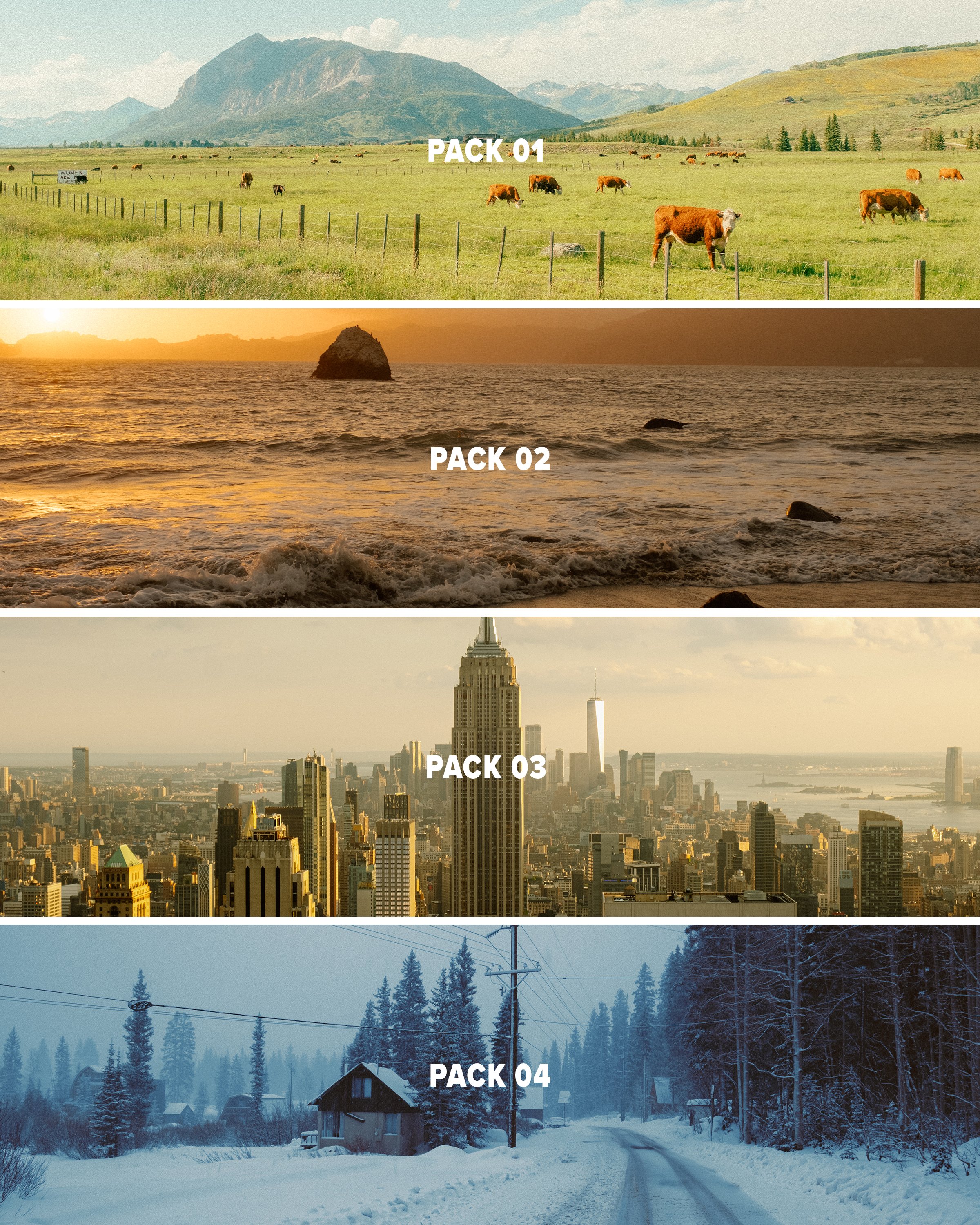

This pack provides 3 Lightroom presets inspired by film looks that should give you a solid base to work with in just a few clicks using Lightroom. This pack is the 4th and final installment of my ongoing “AV FILM SIMS” preset suite. The full suite (see bundle) includes this pack and the 3 others, giving you the base looks I use on almost all of my edits as scene on Instagram/Youtube, etc.
Each look is outlined below:
Winter - a cool blue preset created using heavy Color Tone Curve edits, inspired by winters spent in the Utah desert, but applicable to most moody, rainy, or winter scenes.
Wyoming - a clean, filmic day-light focused preset inspired by my travels to the Grand Tetons of Wyoming. Great for road trip scenes, landscapes, and mid-day photo walks.
Moab - inspired by kodak film-stocks, this preset is meant to create a soft, colorful and film-like look in one click. Inspired by some of my earliest visits to Moab, and specifically Arches, but I’ve been using it on a lot of NYC work as well!
Note: these are for DESKTOP. I use them on Lightroom Classic. These are NOT mobile presets. They do work in Lightroom Cloud via importing, and if applied to a DNG, they CAN work on Mobile, but they are not optimized for this purpose.
How to download & install:
Once you checkout from my site, you will be given access to the digital download.
Download & unzip the “zip” file.
Open LR -> File -> Import Develop Profiles and Presets.
Navigate to the unzipped folders and select them.
Click “Import.”
How to edit photos with this pack:
Ensure the image is properly exposed. Adjust the exposure slider (increase or decrease) until your exposure is even.
Explore the pack by highlighting each of the 3 looks - before clicking any, hover over each to see how they feel on your image. Click to apply the preset you like.
Make other adjustments as needed. If you have my other packs, try combining these looks with the tool kits from those! Experiment with making small slider adjustments to the tones, mess with color grading, but don’t go TOO far. Less is more with editing.
You’re done! Export & share.
Presets are non-refundable. Absolutely no re-selling under any circumstances.
Reminder: these are for LIGHTROOM CLASSIC. They are not optimized for mobile app.
When ordering, you’ll get a 24-hour download code. If you lose this code or forget to download, email me & I’ll get you another.
Be sure to sign up for my newsletter/updates with your email at checkout to receive discounts/free stuff in the future!
Not affiliated with or endorsed by any camera company.