Is the Fujifilm X-T3 Still Worth It in 2025?
This post contains Amazon affiliate links. If you make a purchase through these links, I may earn a small commission at no additional cost to you.A Long TERM REVIEW OF THE FUJIFILM X-T3: THOUGHTS AFTER 4+ YEARS OF DAILY USE
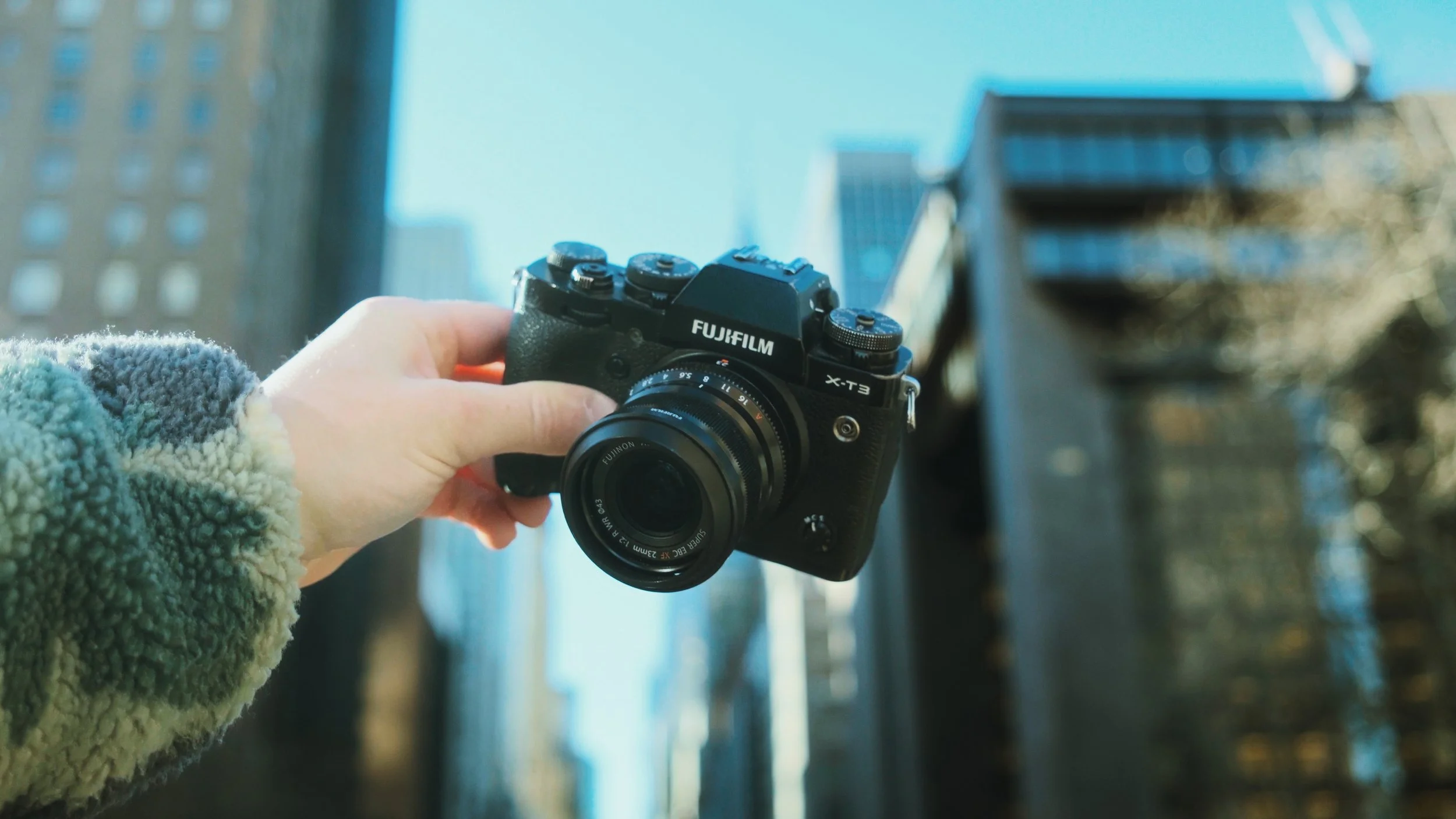
The Fujifilm X-T3.
In the fast-paced world of photography, where new models emerge each year, it’s natural to wonder if older cameras can still hold their ground. The Fujifilm X-T3, released in 2018, has long been a favorite among photographers—but as we step into 2025, does it still offer enough to be a worthy investment? Let’s discuss.
I actually wrote a similar article back in 2024, so if you’re curious to see more of my thoughts on this, you can check out that blog post here.
I also released a YouTube video about this camera. Watch the full video here.
A Personal Journey with the X-T3
My journey with the Fujifilm X-T3 began unexpectedly. After a mishap with my Canon 5D Mark IV—which tragically took a dive into a waterfall during a shoot in North Carolina—I needed a reliable yet affordable replacement. Initially, I saw the X-T3 as a temporary solution, but it quickly became an essential part of my kit, proving its worth time and again.

Shooting street photography in Times Square with the Fujifilm X-T3.
What Makes the X-T3 Stand Out?
Image Quality: The 26MP back-illuminated sensor delivers crisp, vibrant images—even in low light.
Classic Design & Usability: With its retro-inspired look and manual dials, the X-T3 offers an intuitive and immersive shooting experience.

Top down view of the film-style dials on the Fujifilm X-T3.
Durability & Build Quality: From deserts to rainforests, this camera has endured harsh environments and accidental drops without missing a beat.

Top down view of the ergonomics & grip on the Fujifilm X-T3.
THE CONS OF THE X-T3

The downsides to the Fujifilm X-T3.
While the X-T3 remains impressive in some areas even still, some aspects show its age when stacked against newer models like the X-T4, X-T5:
Battery Life: The X-T3’s battery performance is pretty bad in my opinion, as it uses the older batteries. I never take this out without having multiple extra batteries on me. I’ve found myself to run through them very quickly.
Autofocus & Stabilization: With newer Fujifilm models offering IBIS (in-body image stabilization) and faster autofocus, the X-T3 may not be the best choice for fast action or handheld video. Even with firmware updates, these things sometimes do make a significant difference in certain situations (e.g. low light, fast action sports, low light street photography, night photography, etc.), but I still don’t see them as a barrier to making good images with this camera.
Dynamic Range: Now that I have the newer X-T5, I do see a major difference in the amount of freedom I have when editing my raw files, particularly when it comes to pulling down highlights or raising shadows. Overall, if you edit heavily, the newer models do offer quite a bit more freedom than this camera.
Why the X-T3 Still Holds Value in 2025

Front view of the Fujifilm X-T3 with no lens.
Despite technological advancements, the Fujifilm X-T3 remains a compelling choice for many photographers -
Affordability: As newer models are released, the X-T3's price continues to drop, making it a great entry point into Fujifilm’s ecosystem.
Proven Reliability: Many photographers still prefer the X-T3 for its image quality and color science, which competes with cameras far newer and more expensive. I’ve personally shot 90% of my best work up until this point using just this camera, and that’s even true for client work as well. It definitely holds up if you use it properly.
Charm: With older build quality, the classic button layout thats favored by much of the Fujifilm community, its got somewhat of a “rustic” charm to it, if I had to describe the feeling I get when using it. This is especially the case when I compare it to the X-T5, which has a much lighter, plastic-feeling build.
Final Verdict: Is the X-T3 Worth Buying in 2025?
Yes—but with some caveats. If you’re looking for a budget-friendly, high-quality camera with classic controls and reliable performance, the X-T3 is still a fantastic choice, even now, 7 years after release, in 2025.
However, again, this is NOT the latest tech. If IBIS, cutting-edge autofocus, or battery life are top priorities, you may want to consider the X-T4, X-T5, or something else with a newer generation sensor/internals.

Fujifilm X-T3 vs. Fujifilm X-T5.
At the end of the day, the best camera is the one that fits your shooting style, and for many, the X-T3 remains a top choice—even in 2025.
Help support my work by exploring the available products below!

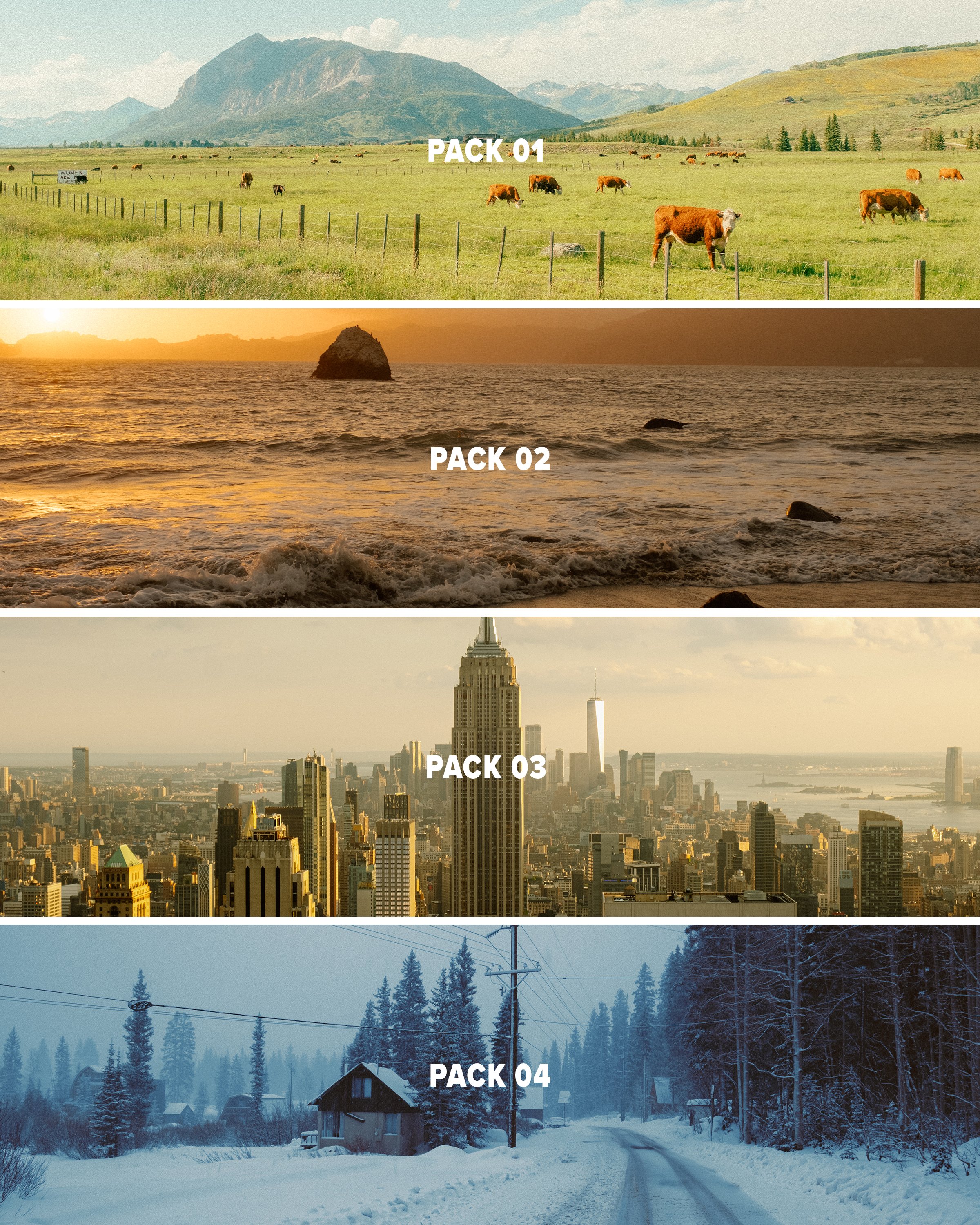

This pack provides 3 Lightroom presets inspired by film looks that should give you a solid base to work with in just a few clicks using Lightroom. This pack is the 4th and final installment of my ongoing “AV FILM SIMS” preset suite. The full suite (see bundle) includes this pack and the 3 others, giving you the base looks I use on almost all of my edits as scene on Instagram/Youtube, etc.
Each look is outlined below:
Winter - a cool blue preset created using heavy Color Tone Curve edits, inspired by winters spent in the Utah desert, but applicable to most moody, rainy, or winter scenes.
Wyoming - a clean, filmic day-light focused preset inspired by my travels to the Grand Tetons of Wyoming. Great for road trip scenes, landscapes, and mid-day photo walks.
Moab - inspired by kodak film-stocks, this preset is meant to create a soft, colorful and film-like look in one click. Inspired by some of my earliest visits to Moab, and specifically Arches, but I’ve been using it on a lot of NYC work as well!
Note: these are for DESKTOP. I use them on Lightroom Classic. These are NOT mobile presets. They do work in Lightroom Cloud via importing, and if applied to a DNG, they CAN work on Mobile, but they are not optimized for this purpose.
How to download & install:
Once you checkout from my site, you will be given access to the digital download.
Download & unzip the “zip” file.
Open LR -> File -> Import Develop Profiles and Presets.
Navigate to the unzipped folders and select them.
Click “Import.”
How to edit photos with this pack:
Ensure the image is properly exposed. Adjust the exposure slider (increase or decrease) until your exposure is even.
Explore the pack by highlighting each of the 3 looks - before clicking any, hover over each to see how they feel on your image. Click to apply the preset you like.
Make other adjustments as needed. If you have my other packs, try combining these looks with the tool kits from those! Experiment with making small slider adjustments to the tones, mess with color grading, but don’t go TOO far. Less is more with editing.
You’re done! Export & share.
Presets are non-refundable. Absolutely no re-selling under any circumstances.
Reminder: these are for LIGHTROOM CLASSIC. They are not optimized for mobile app.
When ordering, you’ll get a 24-hour download code. If you lose this code or forget to download, email me & I’ll get you another.
Be sure to sign up for my newsletter/updates with your email at checkout to receive discounts/free stuff in the future!
Not affiliated with or endorsed by any camera company.